Pranayama app for iPhone and Android

Steady breath. Steady mind.

Guided pranayama and breathing practices, at your pace. Follow a calm voice or soft tones, even with your phone locked.

Coming soon for iPhone and Android. Free, private, and ready offline.
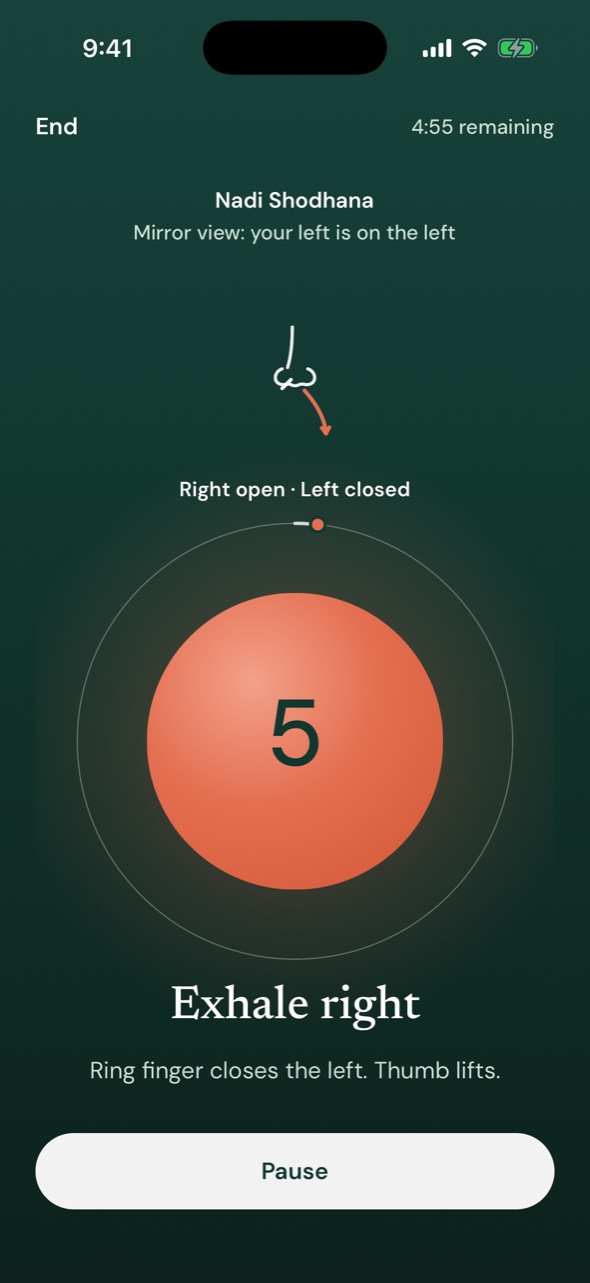
Viram guiding Nadi Shodhana: the breathing guide shows Exhale right with a countdown, which nostril is open, and the time remaining.
Nadi Shodhana, alternate nostril breathing, in Viram

Why Viram

Guidance, even locked

A calm voice or soft tones mark every step and keep going with the screen off. In Silent mode, haptics guide on Android; on iPhone you choose soft tones or a pause.

At your pace

Any length from 1 to 60 minutes, or a set number of rounds. Adjust a rhythm, save your own, or follow a program.

Private and offline

No account and no ads. Viram doesn’t collect your practice history: it stays on your phone, and every practice works without a connection.

Also in the app: routines, a beginner program, night practice, haptics that differ by phase, share links, and Apple Health or Health Connect if you choose.

How it works
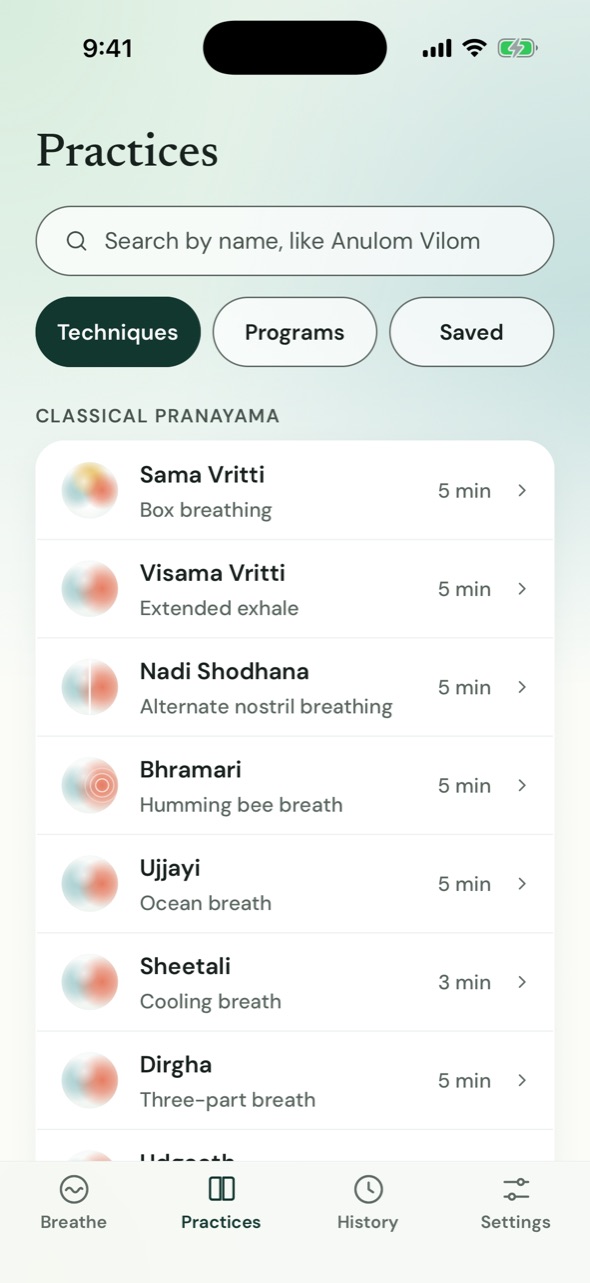
Choose, settle, breathe.

  1. The Practices library: Sama Vritti, Visama Vritti, Nadi Shodhana, Bhramari, and more, each with its length.

    Choose a practice

    Begin with the practice ready on Breathe, or pick one of twelve from the library. Each has its own guide.
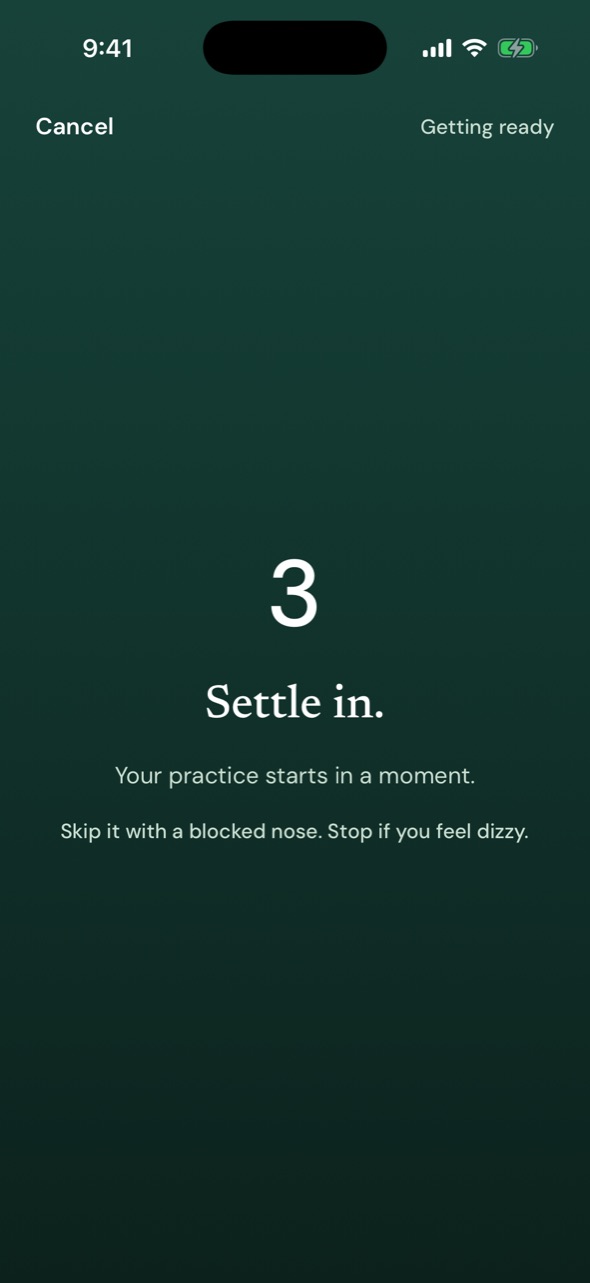
  2. The settle screen: a three-second countdown, “Settle in,” and the technique’s care note.

    Settle in

    A short spoken introduction the first time, then three quiet seconds, with the technique’s care note before you start.
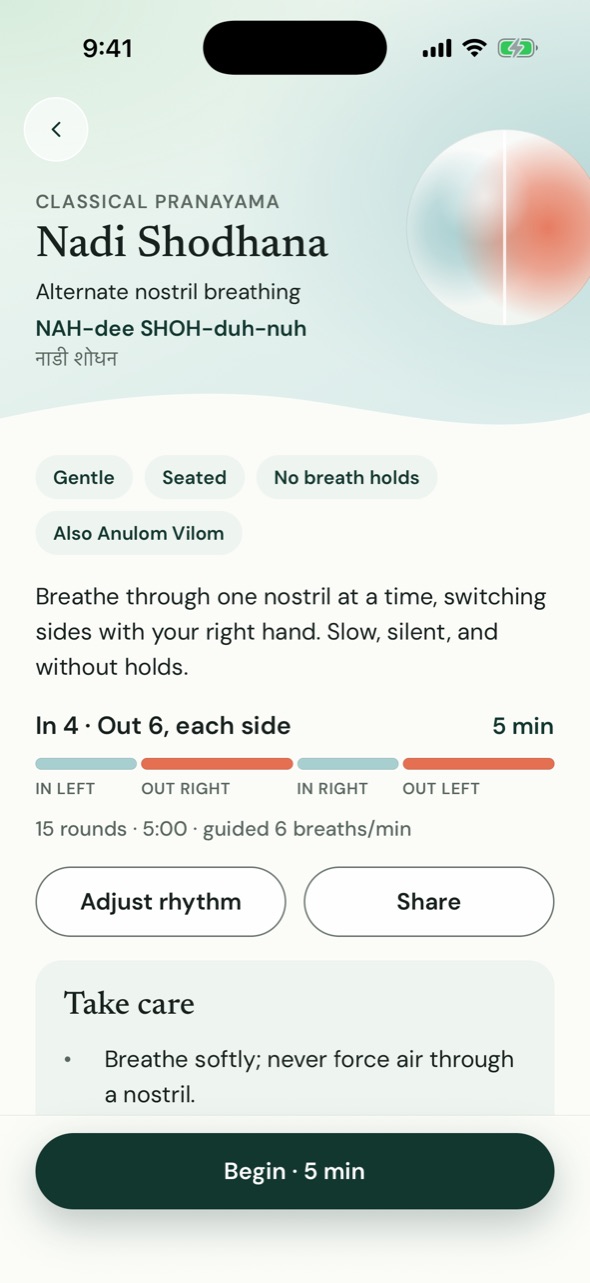
  3. The Nadi Shodhana guide: pronunciation, rhythm, Take care notes, and Begin.

    Follow the guide

    The voice, tones, or haptics mark every step. Pause anytime, and your practice is saved to History when you finish.

Where to start

Three gentle first practices.

New to pranayama? These are the first three Viram’s beginner program teaches, in order. Each guide explains the steps, the care notes, and the sources.

  1. Start here Box breathing Sama Vritti In 4 · Hold 4 · Out 4 · Rest 4
  2. Then 2 Extended exhale Visama Vritti In 4 · Out 6
  3. Then 3 Ocean breath Ujjayi In 5 · Out 5

View all 12 techniques

Privacy

Your practice stays yours.

  • Free, with no subscriptions or premium tier.
  • No account, no ads, and no analytics.
  • Viram doesn’t collect your practice history. It stays on your phone and in your phone’s own backups.
  • Export it anytime, or add finished practices to Apple Health or Health Connect if you choose.

Read the privacy policy

Practising safely

  • Breathe gently. If you feel dizzy or uncomfortable, stop and return to your normal breath.
  • Chest pain, fainting, or a pounding heart with dizziness: stop and get medical help.
  • Don’t practise while driving or operating machinery.
  • Never practise breath holds in or near water, including the bath.
  • Living with a heart or lung condition, or pregnant? Check with your clinician first, especially before holds.

All care notes · A wellness practice, not medical advice.

At a glance

Viram in brief.

Availability
Coming soon to the App Store (iPhone) and Google Play (Android). Not yet available to download.
Price
Free. No ads, subscriptions, in-app purchases, or account.
Practices
12 gentle techniques, classical pranayama and modern breathing patterns, each with steps, care notes, and sources.
Guidance
A calm voice, one of three tone sets, or haptics, in step with an on-screen guide and captions. Voices speak American, British, or Indian English.
Offline
Everything, including the voice, is on the phone. No connection is needed to practise.
Screen locked
With voice or tones, guidance continues with the screen off. In Silent mode, Android keeps guiding with haptics; an iPhone pauses, or continues with soft tones if you choose.
Privacy
Viram doesn’t collect your practice history: there is no account, server, advertising, or analytics. If you turn it on, Apple Health or Health Connect receive each finished practice’s start and end time.
Not medical advice
A wellness practice. Every technique carries its own care notes.

Questions answered: Getting started · Box or coherent breathing · Offline and locked

Questions

Good to know.

Is Viram free?

Yes. Viram is free, with no ads, no subscriptions, and no account.

Does it keep guiding with my phone locked?

With voice or tones, yes: Viram keeps guiding with the screen off, so you can put your phone down and close your eyes. In Silent mode, Android keeps guiding with haptics; an iPhone can’t play haptics while locked, so you choose whether locking pauses or continues with soft tones.

What does Viram know about me?

Viram doesn’t collect your practice history, and there’s no account or server. Your history stays on your phone, in your phone’s own backups, and in any file you export. If you turn them on, Apple Health or Health Connect receive each finished practice’s start and end time, and a paired watch gets your practices. Privacy policy.

Is breathing practice safe?

Viram teaches gentle practices, without forceful holds, and every technique has its own care notes. Breathe gently and stop if you feel dizzy or uncomfortable. If you live with a heart or lung condition or are pregnant, check with your clinician first. Viram is a wellness practice, not medical advice.

Breathe with Viram.

Coming soon for iPhone and Android. Free, private, and ready offline.